Percentage increase calculator
Enter the starting value and the new value to see the increase as a percentage. The other tabs add a percentage to a number, find the value before an increase, and chain several changes together.
Percentage change from A to B
Settings
Increase
120 to 150 is a 25% increase.
- Change in units
- +30
- New value as a multiple of the start
- × 1.25
Formula
Change % = (New − Start) ÷ |Start| × 100
Steps
- Subtract the starting value from the new value: 150 − 120 = 30
- Divide by the starting value: 30 ÷ 120 = 0.25
- Multiply by 100: 0.25 × 100 = +25%
Recent calculations
Exact decimal arithmetic, calculated in your browser.
Examples
Each one loads into the calculator above.
How percentage increase works
Subtract the starting value from the new value, divide by the starting value, and multiply by 100. From 120 to 150 the change is 30, and 30 ÷ 120 = 0.25, so the increase is 25%.
Always divide by the starting value. Dividing by the new value (30 ÷ 150 = 20%) answers a different question: how much smaller the old value was than the new one.
Check your answer by going forward
Multiply the starting value by 1 plus the percentage as a decimal. 120 × 1.25 = 150, so 25% is right. The same multiplier adds a percentage to a number in one step: 52,000 × 1.04 = 54,080.
Undoing an increase
If a price is $138 after a 15% rise, the old price was 138 ÷ 1.15 = $120. Taking 15% off $138 gives $117.30, because 15% of the new price is a bigger amount than 15% of the old one. The “Reverse %” tab does this division for you.
Several increases in a row
Two 10% increases add up to 21%, not 20%, because the second 10% applies to the already-increased value. The “Successive %” tab multiplies the changes together and shows the real total, which matters for rent increases over several years, compounding prices and sales growth.
Starting from zero or a negative number
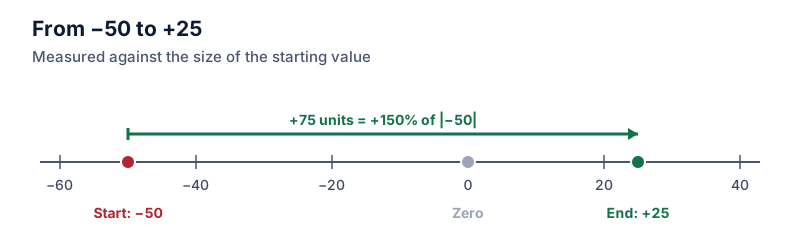
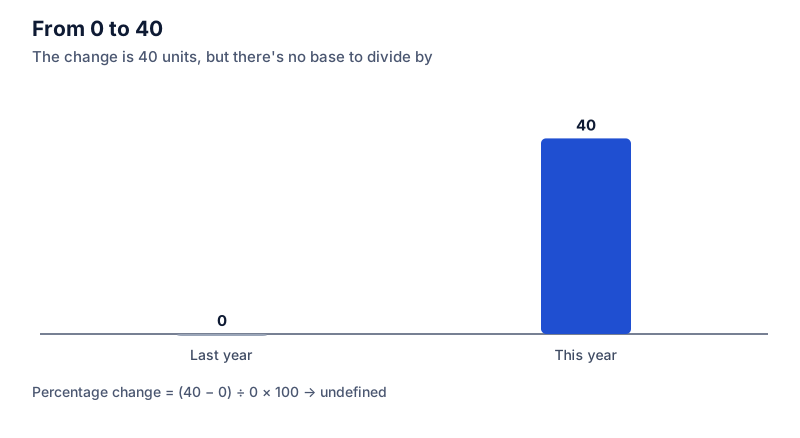
A percentage increase from 0 isn’t defined, since any amount is infinitely larger than nothing. Report the change in units instead. When the starting value is negative, PercentSwift divides by its absolute value so that a move toward zero counts as an increase, and it says so in the result.
Questions people ask
Guides that use this calculator
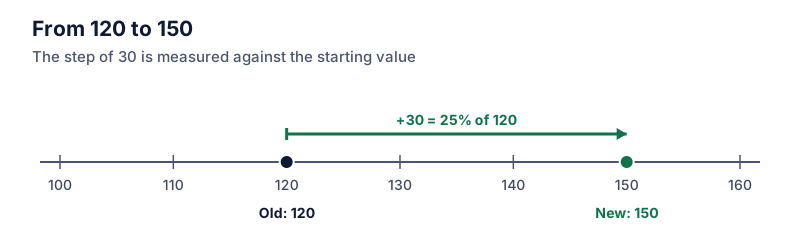 Increase and decrease
How to calculate percentage increase
Subtract the old value from the new one, divide by the old value, and multiply by 100. Worked examples with prices, rent and scores, plus a quick way to check the answer.
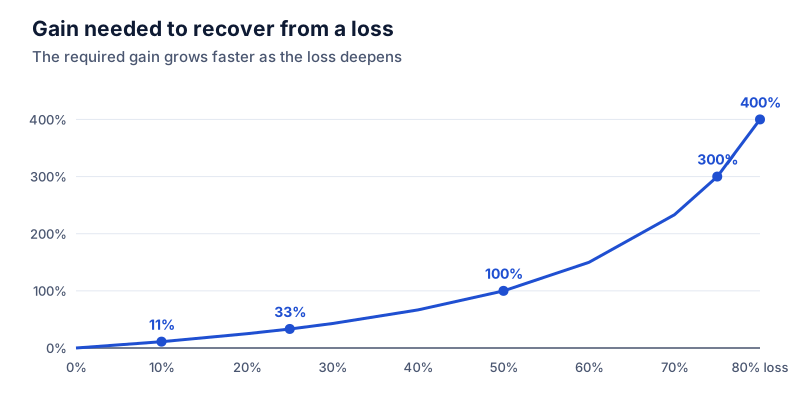 Increase and decrease
Why a 50% loss needs a 100% gain to break even
A 50% loss needs a 100% gain to get back to even. Why equal percentage moves don't cancel, a recovery table from 5% to 90%, and the formula behind it.
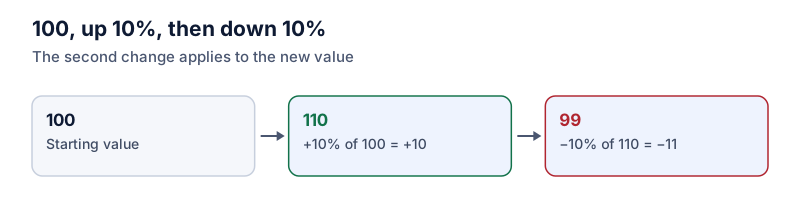 Increase and decrease
Successive percentage changes: why +10% then −10% isn't zero
To combine percentage changes, multiply their multipliers instead of adding the percentages. Why +10% then −10% leaves you 1% down, with a formula you can reuse.
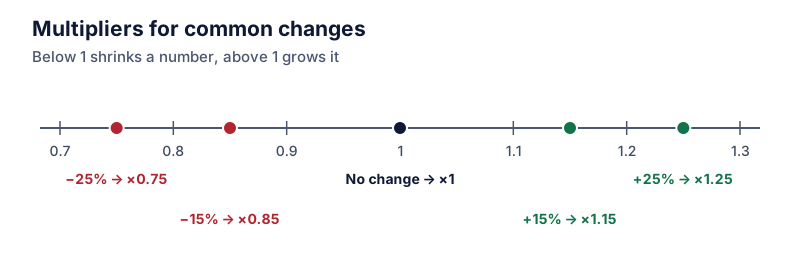 Increase and decrease
How to increase or decrease a number by a percentage
To add a percentage to a number, multiply by 1 plus the percentage; to take it off, multiply by 1 minus it. One step instead of two, with examples.
 Increase and decrease
How to calculate percentage change with negative numbers
When the starting value is negative, the standard percentage change formula flips the sign. The absolute-value fix, what it means, and when to report the change in units instead.
 Increase and decrease
Percentage change from zero: why it's undefined and what to report
A percentage change from zero is undefined because you can't divide by zero. Here's what analysts report instead, from absolute change to new-from-zero labels.