Percentage change from zero: why it's undefined and what to report
A percentage change from zero is undefined because you can't divide by zero. Here's what analysts report instead, from absolute change to new-from-zero labels.
You can’t calculate a percentage change from zero, because the formula divides by the starting value. Report the absolute change (from 0 to 40 units), label the item as new, or compare against a longer or non-zero baseline.
On this page
The percentage change formula is (new − old) ÷ old × 100. When the old value is zero, you’d be dividing by zero, which has no answer. A change from 0 to 40 isn’t a 100% increase or an infinite increase. There’s no percentage for it at all.
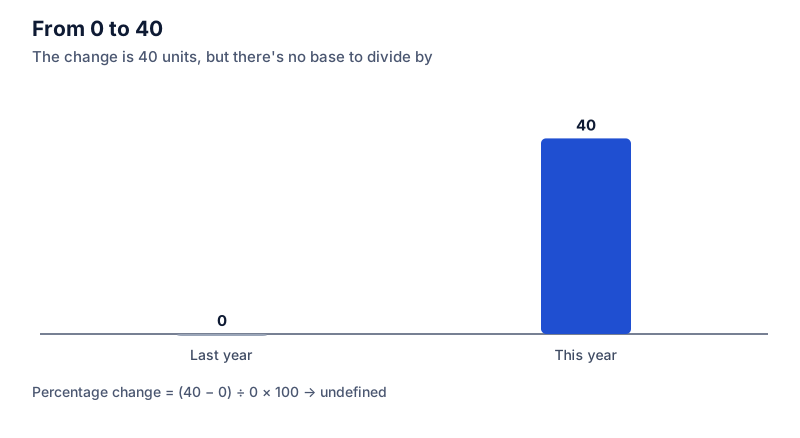
If you enter a starting value of 0, the calculator tells you this instead of showing a number. Start from 1 and you get a figure, but a strange one:
Try it: Compare: 1 to 40 is already 3,900%
Open in calculatorWhy it breaks
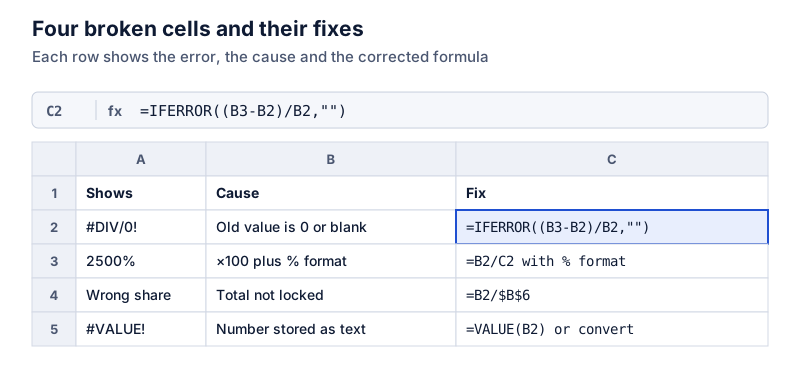
A percentage change tells you how big the move is compared with where you started. If you started with nothing, every move is infinitely large by comparison. That’s not useful information, and it’s why spreadsheets return #DIV/0!.
Small starting values cause a softer version of the same problem. Going from 1 to 40 is a 3,900% increase, and going from 2 to 40 is 1,900%. The starting value barely changed but the percentage halved. When the base is tiny, the percentage tells you more about the base than about the change.
What to report instead
The absolute change. “Sales of the new model went from 0 to 40 units.” This is the clearest option and the one most analysts use.
A label. In a table, write “new” or “n/m” (not meaningful) in the percentage column. Financial reports do this routinely.
A different baseline. Compare against a period when the value wasn’t zero. If a product launched in March, compare this March with its first full month, or report growth since the first month of sales.
A share instead of a change. “The new product made up 4% of sales” uses the total as the base, which isn’t zero.
Percentage points, if the values are rates. If a rate went from 0% to 3%, that’s a 3-percentage-point increase, which is well defined. The relative change still isn’t.
Going to zero is fine
A change to zero has a defined percentage: from 40 to 0 is (0 − 40) ÷ 40 = −100%. The problem only occurs when zero is the starting point.
Try it: 40 down to 0
Open in calculatorHandling it in a spreadsheet
Wrap the formula so it returns a label instead of an error:
=IF(A2=0, "new", (B2-A2)/A2)
This keeps a column of percentage changes readable. The guide on common spreadsheet percentage errors covers this and other formula problems.
Related cases
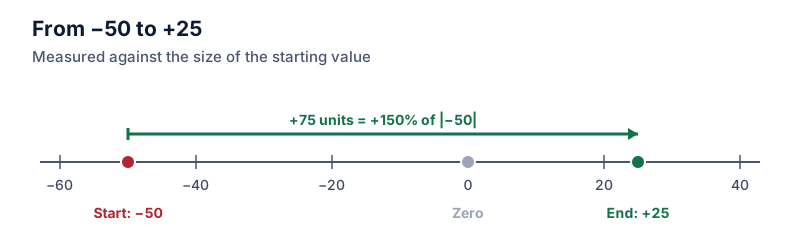
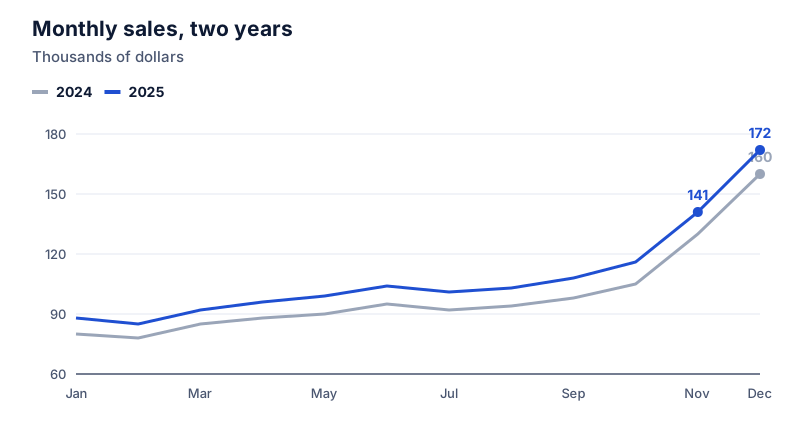
Negative starting values cause a different problem, a flipped sign, with a different fix. See percentage change with negative numbers. For month-to-month series where one month is zero, consider year-over-year comparisons, which are less likely to hit a zero base.
Questions
Can I say it's a 100% increase?
No. A 100% increase means the value doubled. Going from 0 to 40 isn’t doubling anything.
What does Excel show?
The formula =(B2-A2)/A2 returns #DIV/0! when A2 is 0. You can catch that with IFERROR and show a label such as “new” instead.
The calculator links in this guide are checked against the PercentSwift calculator every time the site is built. How we calculate explains the rounding rules. If you spot a mistake, email hello@percentswift.com.