Discount calculator
Enter the original price and the percentage off. Add an extra discount if a coupon applies on top of a sale. The second tab works out the percentage off from a was-and-now price.
Sale price after a discount
Settings
Sale price
$80.00 with 25% off is $60.00. You save $20.00.
- You save
- $20.00
Formula
Sale price = Price × (1 − Discount ÷ 100)
Steps
- Take 25% off $80.00: $80.00 × (1 − 25 ÷ 100) = $60.00
- You save $80.00 − $60.00 = $20.00
Recent calculations
Exact decimal arithmetic, calculated in your browser.
Examples
Each one loads into the calculator above.
How to calculate a sale price
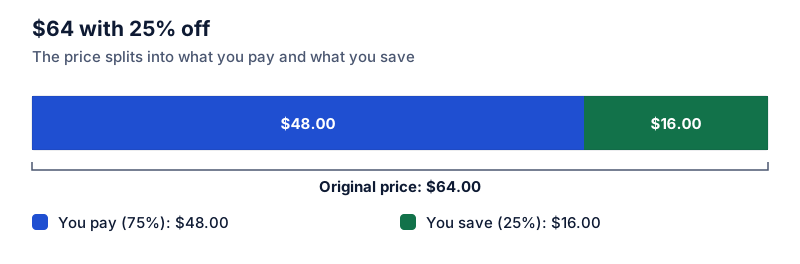
Multiply the original price by 1 minus the discount as a decimal. For 25% off $80, that’s 80 × 0.75 = $60, and you save $20. You can also find the saving first (25% of 80 = 20) and subtract it.
Stacked discounts
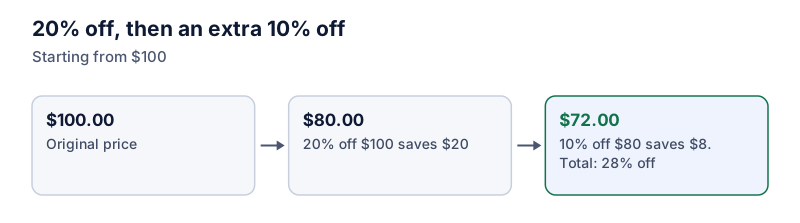
When a coupon applies to an already-reduced price, the discounts multiply. 20% off and then a further 10% off a $100 item is 100 × 0.8 × 0.9 = $72, which is 28% off in total, not 30%. The order doesn’t change the answer: 10% then 20% also ends at $72.
Finding the percentage off
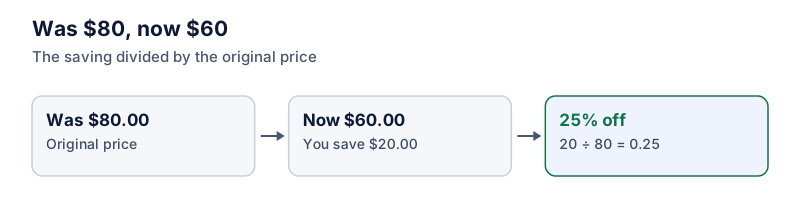
Divide the saving by the original price. A tag showing $60 crossed out and $45 underneath is a $15 saving, and 15 ÷ 60 = 25% off. Dividing by the sale price instead ($15 ÷ $45 = 33%) overstates the discount.
Rounding
Prices are shown rounded to the cent, but the saving is calculated from the rounded sale price, so the two figures always add up to the original price. A store that rounds differently may be a cent off.
Limits
Discounts are capped at 100%. Above that the store would be paying you, so the calculator asks you to check the entry. For a price that went up, use the percentage increase calculator.
Questions people ask
Guides that use this calculator
 Discounts and shopping
How to calculate a discount: sale price and savings
To find a sale price, multiply the original price by 1 minus the discount. Two methods, mental shortcuts for common discounts, and how to check what you'll pay.
 Discounts and shopping
How to work out the discount percentage from the original and sale price
Subtract the sale price from the original, divide by the original, and multiply by 100. Worked price-tag examples and the mistake that makes discounts look bigger.
 Discounts and shopping
Stacked discounts: why 20% off plus 10% off isn't 30% off
Two discounts in a row multiply rather than add: 20% off then 10% off is 28% off. The formula for the combined discount, a lookup table, and whether order matters.
 Discounts and shopping
Percent off vs dollar off: which coupon saves more?
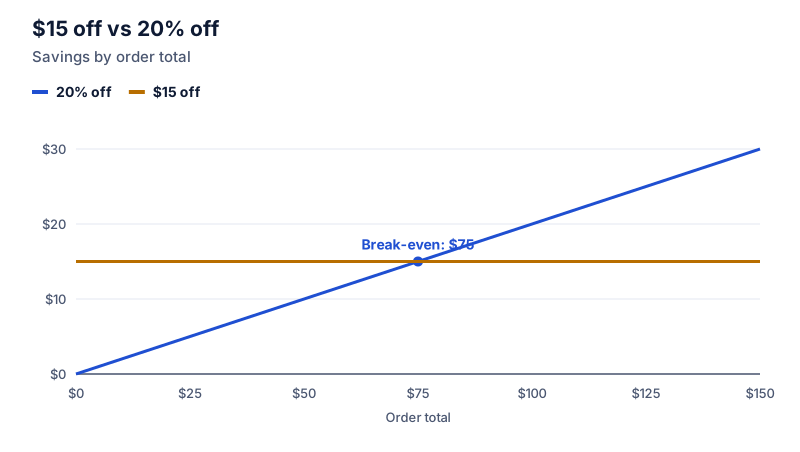
A percentage coupon beats a fixed-dollar coupon once your total passes a break-even point. How to find it, plus minimum spends and combining both.
 Discounts and shopping
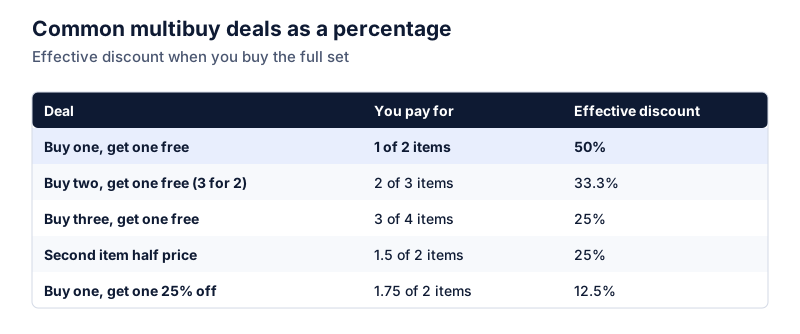
Buy one, get one free and other multibuy deals as a percentage
Buy one get one free is 50% off, buy two get one free is 33.3% off, and half-price second item is 25% off. How to convert any multibuy deal into a percentage.
 Discounts and shopping
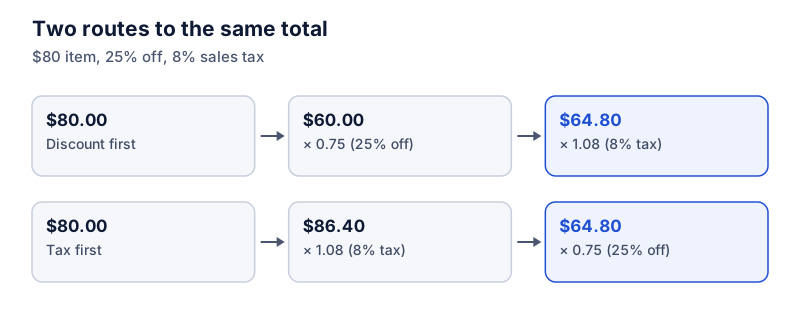
Discount first or tax first? Calculating the final price at the till
With a percentage discount and a percentage sales tax, the final price is the same whichever you apply first. Fixed-dollar coupons are different. Worked examples at the till.