Percentage point calculator
Enter an old rate and a new rate. You'll get the change in percentage points and the relative change in percent. Both are correct, and the page explains when to use each.
Percentage points vs percent change
Settings
Change in percentage points
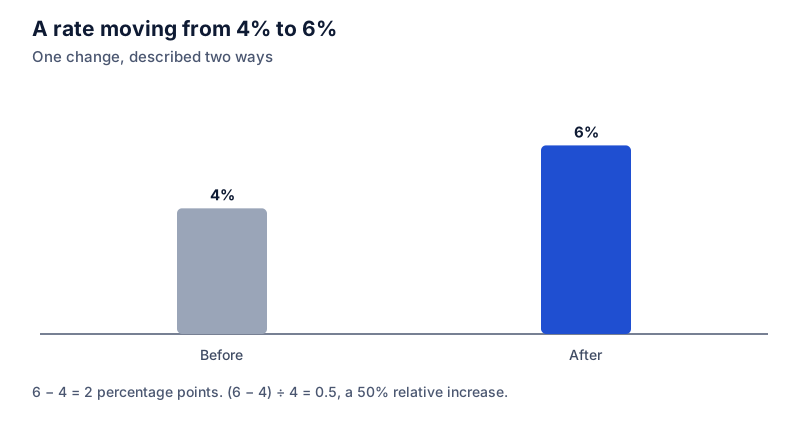
4% to 6% is a change of +2 percentage points, or a 50% relative increase.
- Relative change
- +50%
Formula
Points = New rate − Old rate; Relative % = Points ÷ Old rate × 100
Steps
- Percentage points: 6 − 4 = +2 pp
- Relative change: 2 ÷ 4 × 100 = +50%
- Both answers are correct. They describe the same change in different units, so say which one you mean.
Recent calculations
Exact decimal arithmetic, calculated in your browser.
Examples
Each one loads into the calculator above.
Two ways to describe one change
When an interest rate goes from 4% to 6%, it has risen by 2 percentage points. It has also risen by 50%, because 2 is half of 4. Both statements are true. The first describes the gap between the two rates; the second compares that gap with where the rate started.
Saying a rate “rose 2%” is ambiguous. Readers might think it went from 4% to 4.08%. Use “percentage points” (or “pp”) for the subtraction and “percent” only for the relative change.
Which one should you report?
Report percentage points when the rates themselves are what readers care about: interest rates, unemployment, vote shares, conversion rates, test pass rates. Report the relative change when you want to show how big a shift is compared with the starting level, for example a conversion rate going from 2.1% to 2.8%, which is 0.7 points but a third more sales from the same traffic.
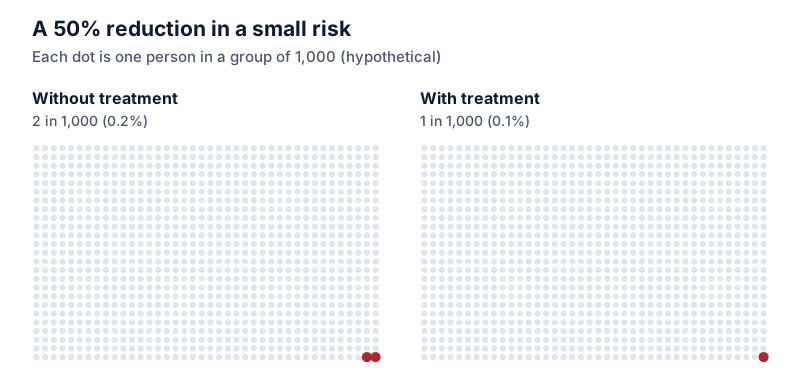
Relative changes of small rates can sound dramatic. A risk that goes from 0.2% to 0.3% has grown 50%, yet only 1 person in 1,000 is affected by the difference. Giving both numbers is often the honest choice.
Basis points
In finance, a basis point is one hundredth of a percentage point. A move from 5.25% to 5.5% is 0.25 percentage points, or 25 basis points.
Questions people ask
Guides that use this calculator
 Percentage basics
Percentage points vs percent: what's the difference?
When a rate moves from 4% to 6%, it rose 2 percentage points and also 50%. What each number means, and how to report changes without misleading anyone.
 School and grades
How much did my grade improve? Points vs percent
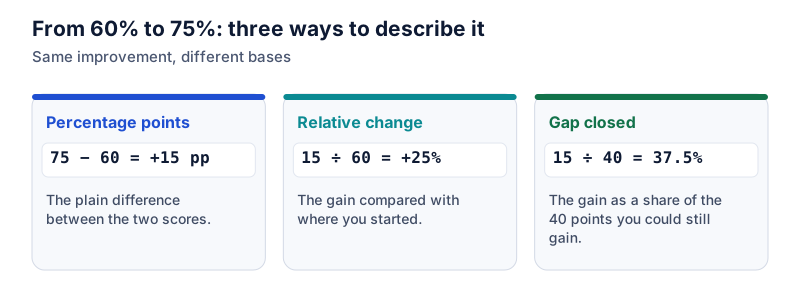
When a score goes from 60% to 75%, it improved 15 percentage points, 25% relative to the old score, and closed 37.5% of the gap to 100%. When to use each.
 Statistics and data
Reading poll percentages: what the margin of error means
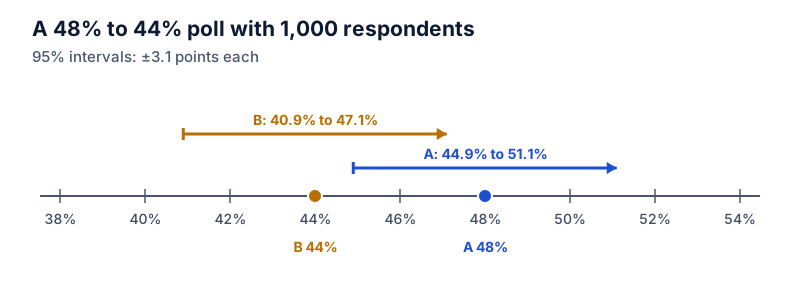
What a poll's margin of error means, the standard formula for a proportion, values for common sample sizes, and why a lead between two candidates needs roughly double the margin.
 Statistics and data
Relative risk vs absolute risk in health headlines
“Cuts your risk by 50%” can mean going from 2 in 1,000 to 1 in 1,000. How to convert relative risk to absolute risk, why percentage points matter, and what number needed to treat means.