How to find the original price from a sale price
Divide the sale price by the share you paid. If $63 is the price after 30% off, the original was 63 ÷ 0.70 = $90. Why adding 30% back gives the wrong answer.
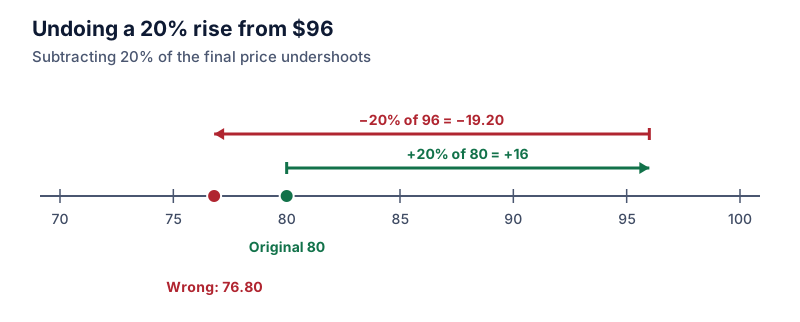
Original price = sale price ÷ (1 − discount ÷ 100). A $63 item after 30% off cost 63 ÷ 0.7 = $90 before the sale. Adding 30% to $63 gives $81.90, which is wrong because the discount was 30% of the original price, not of the sale price.
On this page
If you know the sale price and the percentage off, you can recover the original price. The key is that the sale price is what’s left after the discount.
original price = sale price ÷ (1 − discount ÷ 100)
A sweater costs $63 after 30% off. You paid 70% of the original, so the original was 63 ÷ 0.7 = $90.
Try it: $63 after 30% off
Open in calculatorWhy adding the percentage back doesn’t work
The tempting method is to add 30% of $63 to $63, which gives $81.90. But the 30% was taken from $90, not from $63. Thirty percent of the smaller number is a smaller amount, so adding it back falls short.
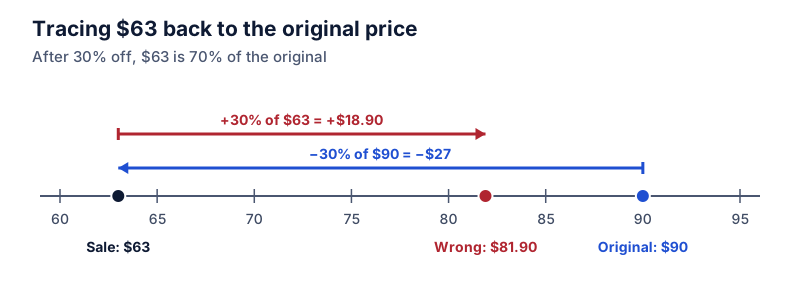
Check by going forward: 30% off $81.90 is $57.33, not $63. 30% off $90 is $63, so $90 is right.
Examples
Shoes at 40% off for $54. You paid 60%. Original: 54 ÷ 0.6 = $90.
A $119.20 jacket at 20% off. You paid 80%. Original: 119.20 ÷ 0.8 = $149.
Try it: $119.20 after 20% off
Open in calculatorA $33.75 item after 25% off and then an extra 10% off. You paid 0.75 × 0.9 = 0.675 of the original. Original: 33.75 ÷ 0.675 = $50.
Checking a sale tag
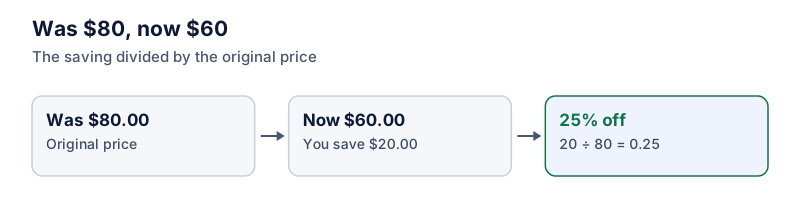
Tags usually show both prices and the percentage. Multiply the was price by the share you pay to confirm they match. A tag reading “was $85, now $59.50, 30% off”: 85 × 0.7 = 59.50. It checks out.
If the numbers don’t line up, the store may have rounded the percentage. “Was $79, now $49” is 30 ÷ 79 = 38% off, which a store might advertise as “up to 40% off” or “over a third off”. The discount percentage guide shows how to work out the exact figure.
The same idea elsewhere
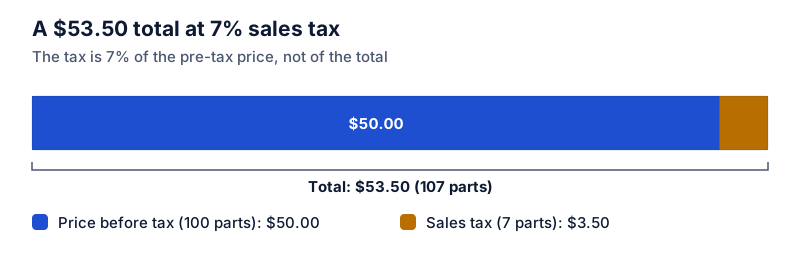
This is a reverse percentage problem. You’ll use the same method to find a price before sales tax (removing sales tax), a salary before a raise, or any value before a known percentage change. Divide by the multiplier; don’t add or subtract the percentage.
Questions
How do I check a “was” price on a tag?
Multiply the was price by the share you pay. If a tag says “was $90, now 30% off at $63”, then 90 × 0.7 = 63 confirms it.
What if there were two discounts?
Divide by both shares: a price after 20% and then 10% off came from sale price ÷ (0.8 × 0.9) = sale price ÷ 0.72.
The calculator links in this guide are checked against the PercentSwift calculator every time the site is built. How we calculate explains the rounding rules. If you spot a mistake, email hello@percentswift.com.