How to work out the price before sales tax from a total
To find the price before tax, divide the total by 1 + the tax rate. $53.50 at 7% tax is $50.00 before tax. Why subtracting 7% of the total gives the wrong answer, with worked examples.
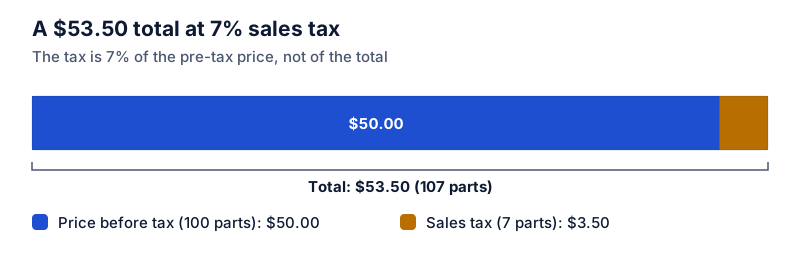
Pre-tax price = total ÷ (1 + rate ÷ 100). For a $53.50 total at 7% tax: $53.50 ÷ 1.07 = $50.00, so the tax was $3.50. Subtracting 7% of $53.50 gives $49.76, which is wrong, because the tax was calculated on $50, not on $53.50.
On this page
You have a receipt total, an expense report, or a price tag that includes tax, and you need the price before tax. The fix is division, not subtraction.
The formula
price before tax = total ÷ (1 + rate ÷ 100)
Where rate is the sales tax rate in percent
tax = total − price before tax
Where or total × rate ÷ (100 + rate)
Worked example
A total of $53.50 at 7% sales tax:
- Write the multiplier: 1 + 7 ÷ 100 = 1.07.
- Divide: $53.50 ÷ 1.07 = $50.00.
- Tax: $53.50 − $50.00 = $3.50.
Try it: Remove 7% tax from $53.50
Open in calculatorCheck: $50.00 × 1.07 = $53.50.
Why subtracting the rate doesn’t work
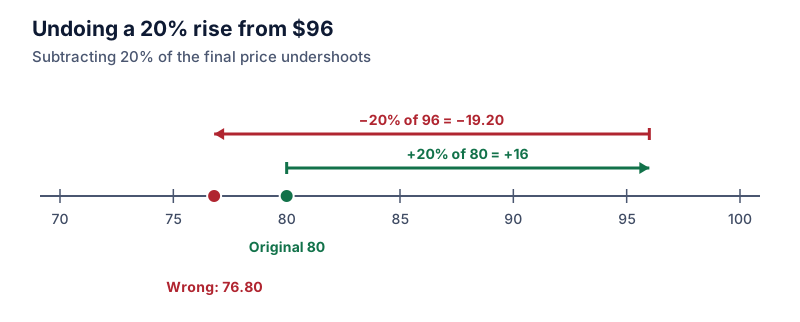
The tax was 7% of the pre-tax price. The total is 107% of that price. Taking 7% off the total takes 7% of the wrong number:
- 7% of $53.50 = $3.745, leaving $49.76 (wrong).
- The tax was really $3.50, leaving $50.00.
The error grows with the rate. This is the same reverse-percentage problem covered in reverse percentages.
Rounding
Since the tax was rounded to the cent at the register, dividing back may give a fraction of a cent. For example, $10.70 ÷ 1.07 = $10.00 exactly, but $10.69 ÷ 1.07 = $9.99065…, which rounds to $9.99. Small differences like this are normal. Round the pre-tax price to the cent, then get the tax by subtraction so the two still add to the total.
Mixed receipts
If some items were taxed and others weren’t, the simple division won’t work on the whole total. Take the taxable items’ total (with tax), divide it by 1 + the rate, and add the untaxed items back.
The same idea for VAT
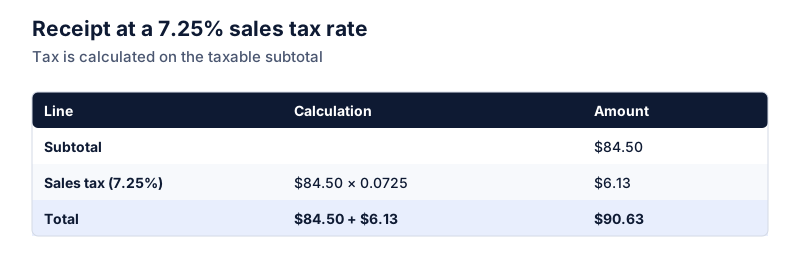
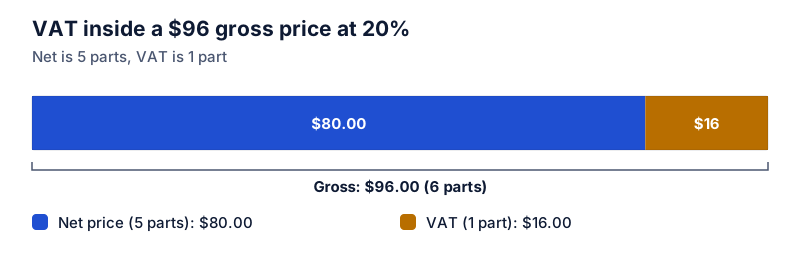
Prices that include VAT work exactly the same way: divide by 1 + the VAT rate. See how to remove VAT from a price. For adding tax in the first place, see how to calculate sales tax.
Questions
What fraction of a tax-inclusive total is tax?
rate ÷ (100 + rate). At 7% that’s 7/107, about 6.54% of the total. At 10% it’s 10/110, about 9.09%.
What if my total included a tip or fees?
Remove those first, as long as they weren’t taxed. Then divide what’s left by 1 + the rate.
The calculator links in this guide are checked against the PercentSwift calculator every time the site is built. How we calculate explains the rounding rules. If you spot a mistake, email hello@percentswift.com.