Percentage decrease calculator
Enter the starting value and the lower new value to see the percentage decrease. You can also subtract a percentage from a number or work back to the value before a cut.
Percentage change from A to B
Settings
Decrease
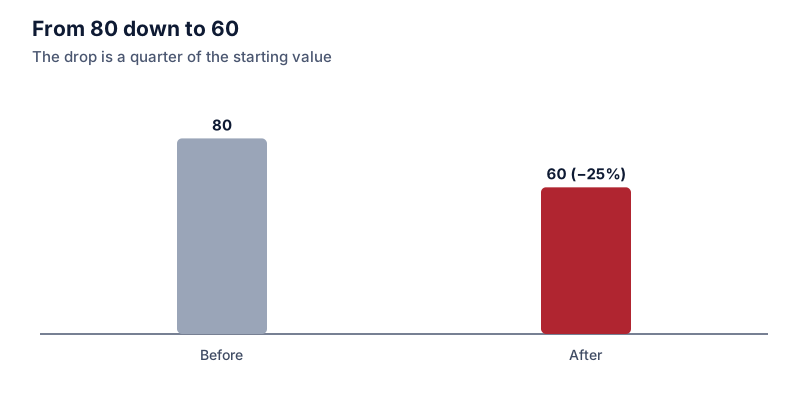
80 to 60 is a 25% decrease.
- Change in units
- -20
- New value as a multiple of the start
- × 0.75
Formula
Change % = (New − Start) ÷ |Start| × 100
Steps
- Subtract the starting value from the new value: 60 − 80 = -20
- Divide by the starting value: -20 ÷ 80 = -0.25
- Multiply by 100: -0.25 × 100 = -25%
Recent calculations
Exact decimal arithmetic, calculated in your browser.
Examples
Each one loads into the calculator above.
How percentage decrease works
Subtract the new value from the starting value, divide by the starting value, and multiply by 100. From 80 to 60 the drop is 20, and 20 ÷ 80 = 0.25, so it’s a 25% decrease.
Decreases stop at 100%
A positive quantity can lose at most 100% of its value, which takes it to zero. If you get more than 100%, either the values have crossed zero (a profit turning into a loss, for example) or the old and new values are the wrong way round.
Ups and downs don’t cancel
A 25% decrease followed by a 25% increase doesn’t get you back where you started. 80 falls to 60, and 25% of 60 is only 15, so you end at 75. To recover a 25% loss you need a 33.3% gain. The bigger the fall, the larger the gap: a 50% loss needs a 100% gain.
Subtracting a percentage
Multiply by 1 minus the percentage as a decimal. To take 12% off 340, multiply by 0.88 to get 299.20. This is how a percentage discount works, and the discount calculator adds a field for stacking a second discount.
Finding the value before the decrease
If something is worth 63 after a 30% drop, it was worth 63 ÷ 0.7 = 90. Adding 30% to 63 gives 81.90, which is wrong because the 30% was taken from the original, larger value.
Questions people ask
Guides that use this calculator
 Increase and decrease
How to calculate percentage decrease
Percentage decrease is the drop divided by the starting value, times 100. Examples, why decreases can't pass 100%, and why a decrease and the matching increase aren't the same size.
 Discounts and shopping
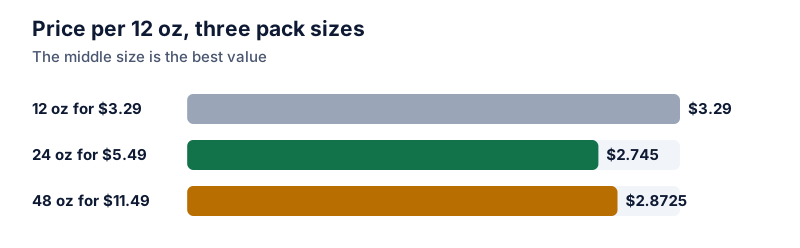
Unit price comparisons: how much cheaper is the bigger pack?
Divide each price by its quantity, then compare the unit prices as a percentage. A worked example with three pack sizes, including one where buying bigger costs more.